Sign in
Sign in using


 Steam
Steam  EA app
  Ubisoft
  Microsoft Store
  Software
 V Rising
1 day ago
— บอส
Shin Megami Tensei V: Vengeance
1 day ago
— eeY
DYNASTY WARRIORS: ORIGINS
1 day ago
— Rachta
Marvel’s Spider-Man Remastered
— KORN
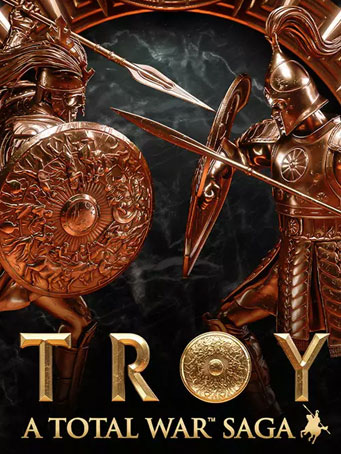
A Total War Saga: TROY

Steam


In this legendary age, heroes walk the earth. In an act that shocks the world, audacious Paris, prince of Troy, elopes with the beautiful queen of Sparta.
As they sail away, King Menelaus curses her name. He vows to bring his wife home – whatever the cost.
Fight to save or conquer the kingdom of Troy as one of eight iconic heroes, including the infamous warrior Achilles, noble protector Hector, wayward prince Paris and vengeful king Menelaus.
Lead an army across the fabled lands of the Aegean, recruit special units inspired by creatures of Greek myth, and charge into battle against ferocious foes.
Build your empire through strategy, statecraft, diplomacy and all-out war, as you conquer this vast and striking recreation of the Bronze Age Mediterranean.
Minimum Requirements
Recommended Requirements
Release Date
2 SEP 20211. Click on this link and continue to finish installing Steam https://cdn.cloudflare.steamstatic.com/client/installer/SteamSetup.exe
2. Run Steam and login or create an account
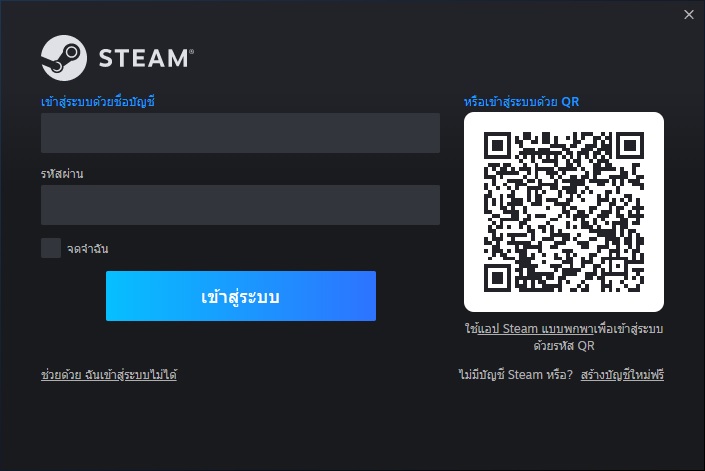
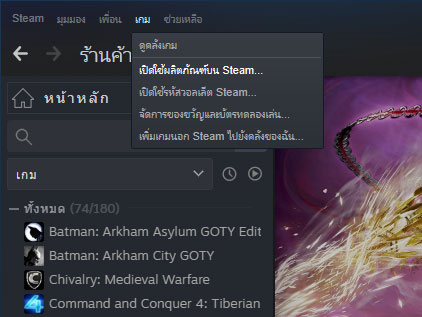
3. On the top left corner of the screen click on "Games" and select "Activate a product on Steam..."
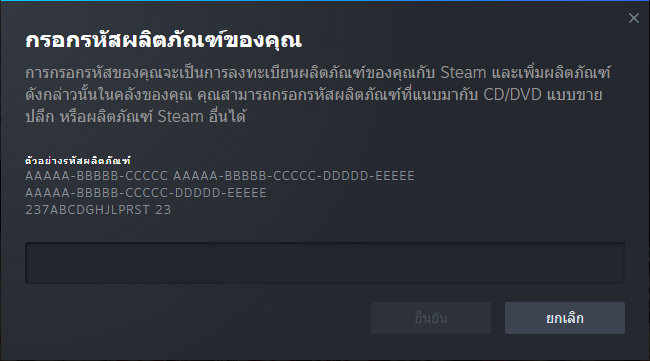
4. Click "Next" until you see the input form. Fill in your code then click "Next"
5. Your game activation is completed. Your game is ready to download. Once it's finished you'll be able to play the game immediately. Have fun!
There is no comment for A Total War Saga: TROY
1. Click on this link and continue to finish installing Steam https://cdn.cloudflare.steamstatic.com/client/installer/SteamSetup.exe
2. Run Steam and login or create an account
3. On the top left corner of the screen click on "Games" and select "Activate a product on Steam..."
4. Click "Next" until you see the input form. Fill in your code then click "Next"
5. Your game activation is completed. Your game is ready to download. Once it's finished you'll be able to play the game immediately. Have fun!